
Bike Universe Build Mode: Ramps, Controls, and Tips
Learn Bike Universe build mode controls, rotate ramps with Q and E, explore ramp options, and practice cleaner tricks with a simple setup. Start building.
Jump to
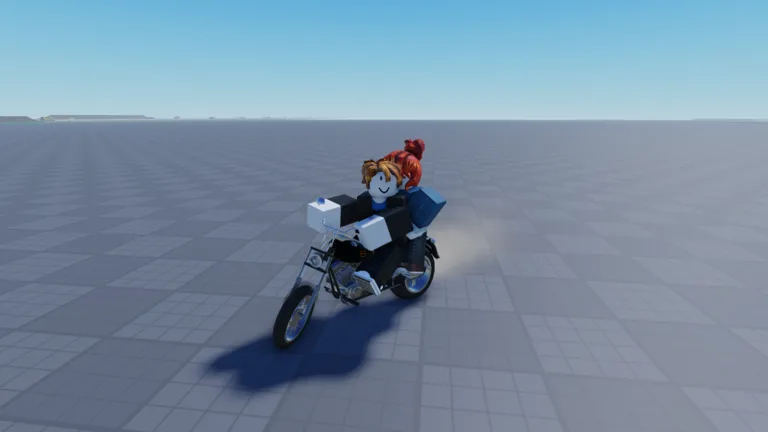
How to Use Bike Universe Build Mode
Bike Universe build mode lets you place ramps and create your own opportunities for airborne tricks. Your setup matters because a clear approach gives you room to build speed, line up the jump, and prepare for the landing. Open Bike Universe build mode with B, then use Q and E to rotate a piece before placing it.
Start with a small setup you can ride repeatedly. The building menu includes a kicker, launch ramp, quarter pipe, and mega ramp, with game passes required for some options. Get comfortable placing and approaching a ramp before moving on to a larger jump.
These are the keyboard controls to keep straight:
| Action | Keyboard control | Context |
|---|---|---|
| Open build mode | B | Access building options |
| Rotate a building piece | Q and E | While positioning the piece |
| Spawn or retrieve your bike | Q | When returning to riding |
| Open your phone | C | Access the in-game phone |
| View different bikes | M | Browse bike options |
| Perform tricks | Number keys, including 1, 3, and 4 | Trick inputs while riding |
Q has different jobs depending on what you’re doing. Use it to rotate a piece while building and to get your bike back when riding. Keep that distinction in mind when switching between adjusting a ramp and testing it.
To put together your initial setup:
- Find an open stretch with room to approach a jump.
- Press B to open the building menu.
- Choose a kicker or launch ramp.
- Rotate it with Q and E until it faces your intended riding direction.
- Place it, then prepare your bike for a test run.
Leave room beyond the ramp as well as before it. Before attempting a trick, look at the entire route: where you’ll accelerate, where you’ll take off, and where you intend to land.
Bike Universe is in beta, so expect updates and changes as the game develops. Learn the basic building controls now, then check the in-game menu when you return after an update.
Build a Kicker Practice Line
Use a kicker to begin practicing the relationship between your approach, takeoff, and landing. Keep the setup simple enough that you can focus on riding instead of choosing between several ramps.
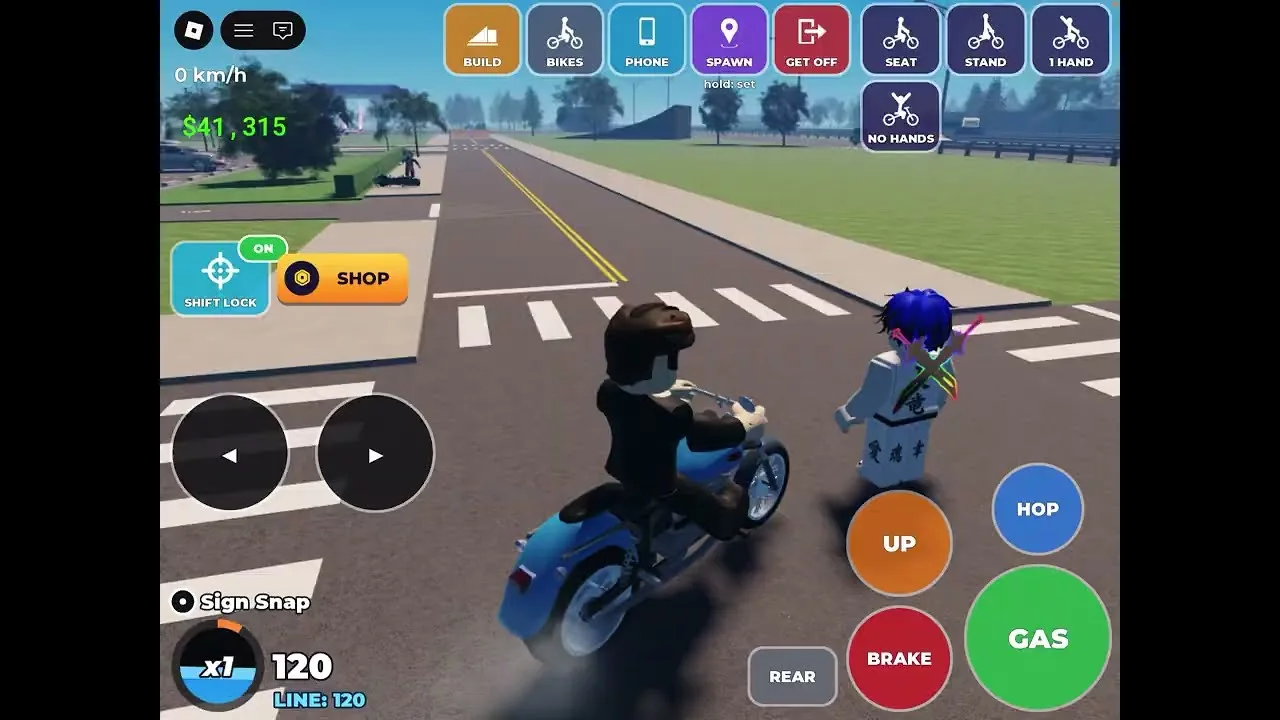
For your opening attempts, aim straight at the ramp and concentrate on getting across it under control. Add a trick after you’re comfortable with the approach. That gives you fewer things to manage while learning how your bike responds.
Try this practice sequence:
| Practice step | What to do | What to watch |
|---|---|---|
| Approach | Ride toward the kicker in a straight line | Your alignment with the ramp |
| Takeoff | Ride up the ramp before adding a trick | Whether you enter the jump under control |
| Trick attempt | Try an aerial move on a later run | Returning your rider to the bike |
| Landing | Prepare to touch down with your rider back on the bike | Whether you maintain control afterward |
Treat these as practice goals, then adjust your next attempt around what happened. If you approach at an angle, work on alignment. If you struggle to finish the trick, simplify the attempt.
When using Bike Universe build mode, resist changing the whole setup after every crash. Repeat the approach before deciding whether the ramp needs a different orientation. Change one part of your attempt at a time so you can follow its effect.
Keep your wheelie practice separate from the jump while you learn. Wheelies require balance, and leaning too far backward can make your rider scrape or fall. Approach the kicker without adding another balancing challenge.
After a fall, use Q to retrieve your bike and prepare another attempt. Return to a clear starting position, face the ramp, and give yourself room to accelerate again. Repeating that routine keeps your attention on the jump.
Set Up Launch Ramps for Trick Attempts
A launch ramp gives you another building option for practicing aerial tricks. Place it with a clear approach, rotate it toward the intended landing area, and test the route before trying a combination.
The launch ramp setup needs room on both sides of the jump. When you position it, look beyond the ramp’s edge. Leave yourself space to finish the move and prepare for contact with the ground.
Work through the setup in this order:
- Choose the direction you want to ride.
- Place the launch ramp facing that direction.
- Back away far enough to prepare your approach.
- Ride toward the center of the ramp.
- Attempt a trick once you’re comfortable with the jump.
- Get your rider back on the bike before landing.
Bike Universe includes tricks such as the tail whip and Superman, along with flips. Practice one move before trying to connect several during the same jump.
Pay attention to the return from the trick. Your rider needs to get back on the bike; starting an animation is only part of the attempt. Keep the landing in mind from the moment you leave the ramp.
Bike Universe build mode also lets you place multiple ramps. Try placing two next to each other, then check that each has its own clear approach. Use the extra piece to practice another line without crowding your original one.
Avoid rushing directly from placement into a complicated combo. Ride the layout, check your alignment, and then add a trick. If the attempt goes wrong, repeat the simpler version before making another adjustment.
Keep your attention on the game during takeoff. Learn the relevant trick input before starting your run so you don’t have to look away from the ramp while approaching it.
Explore Quarter Pipes, Mega Ramps, and More Builds
The building options also include a quarter pipe and mega ramp, with game-pass access required for these pieces. Check their purchase prompts before planning a setup around them.
The experience sells a More Builds pass for 99 Robux. It also offers 2X Cash for 199 Robux. Read the pass name carefully when shopping, especially if your goal is to expand your building options.
| Game pass | Price |
|---|---|
| More Builds | 99 Robux |
| 2X Cash | 199 Robux |
Keep your purchase decision tied to what you want to do. If you’re interested in additional building pieces, inspect the building-related purchase options. If you’re still learning to approach and land a jump, spend time with the pieces you can already select.
Before buying through Roblox, open the official Bike Universe experience page and review the purchase details.
With a mega ramp, take particular care over your run-up. Give yourself room to build speed, line up before reaching the ramp, and avoid starting the attempt while still correcting your direction.
Use Bike Universe build mode to create a route you can approach deliberately. Place the ramp where you can see the line clearly, then check the space ahead before riding. Resist adding extra pieces until you’ve tried the main jump.
For any newly available piece, follow the same routine:
- Check its orientation before placing it.
- Leave a clear route toward it.
- Look over the intended landing area.
- Try the jump before adding a complicated trick.
- Adjust the layout based on the attempt.
Keep your building session focused on a specific goal. Practice a takeoff, work on returning to the bike, or try a familiar trick from another ramp. Give each change enough attention to understand how it affects your riding.
Choose a Bike and Practice Your Landing
Your bike choice deserves attention alongside your ramp placement. Bike Universe includes electric, dirt, and pedal bikes, and the dealer presents bikes with different performance ratings.
Press M to view different bikes. Compare the displayed attributes before spending your cash, especially when you’re choosing a bike for trick practice.
The Ninja H2R, for example, has these ratings:
| Attribute | Ninja H2R rating |
|---|---|
| Top speed | 10 |
| Acceleration | 9.8 |
| Handling | 9.6 |
| Tricks | 2.5 |
Read the tricks rating alongside speed, acceleration, and handling. The Ninja H2R’s numbers illustrate why you should inspect every attribute instead of choosing entirely by appearance or top speed.
When testing a new bike, return to a familiar ramp setup. Ride the approach again before attempting the same tricks. Keep the layout consistent while you learn how the bike handles the run-up and jump.
Bike Universe build mode gives you control over where you practice. Use that flexibility to repeat a manageable jump while working on tail whips, Superman attempts, or flips. Save combinations for after you’re comfortable completing the individual moves.
Doing tricks earns in-game cash. Keep practicing moves you can manage while working toward another bike, and check the dealer’s ratings when deciding what to buy.
Before each attempt, run through a short checklist:
- Face the ramp before accelerating toward it.
- Keep your approach clear of unnecessary steering.
- Choose the trick you intend to attempt.
- Return your rider to the bike.
- Watch the landing and review what needs adjustment.
If you keep falling, simplify the next run. Try the jump without a trick, then add the move back once you’re comfortable. For a combo attempt, return to practicing the individual tricks separately.
The useful part of Bike Universe build mode is having a setup you can keep riding and refining. Build a clear line, practice the approach, and give the landing as much attention as the trick itself.
FAQ
How do you open Bike Universe build mode?
Press B on your keyboard to open Bike Universe build mode. Choose a building piece, rotate it with Q and E, and place it facing your intended riding direction.
How do you rotate ramps in Bike Universe?
Use Q and E while positioning a building piece. When you return to riding, Q also serves as the control for spawning or retrieving your bike.
How much does the More Builds game pass cost?
The More Builds game pass costs 99 Robux. Check the in-game purchase details when choosing additional building options.
How do you practice tricks using ramps?
Place a kicker or launch ramp with room for an approach and landing. Practice riding the jump, then add a trick such as a tail whip or Superman. Get your rider back on the bike before touching down.
Continue with
 Bike Universe How to Earn Cash: Tricks and Bike TipsBike Universe how to earn cash explained: practice wheelies, build ramps, compare bike stats, and learn about the 2X Cash pass before your bike purchase.
More in Guide
Bike Universe AI Cops Guide: Police Settings and Tips
Learn how Bike Universe AI Cops settings work, turn police on or off, recover a bike, and practice tricks with tips for riding and earning cash on Roblox.
Bike Universe Beginner Guide: Controls, Cash & Tricks
Use this Bike Universe beginner guide to learn PC controls, practice wheelies, earn cash through tricks, compare bikes, and prepare for police chases.
Join the community
Official channels for news, updates and player help: