
Bike Universe AI Cops Guide: Police Settings and Tips
Learn how Bike Universe AI Cops settings work, turn police on or off, recover a bike, and practice tricks with tips for riding and earning cash on Roblox.
Jump to
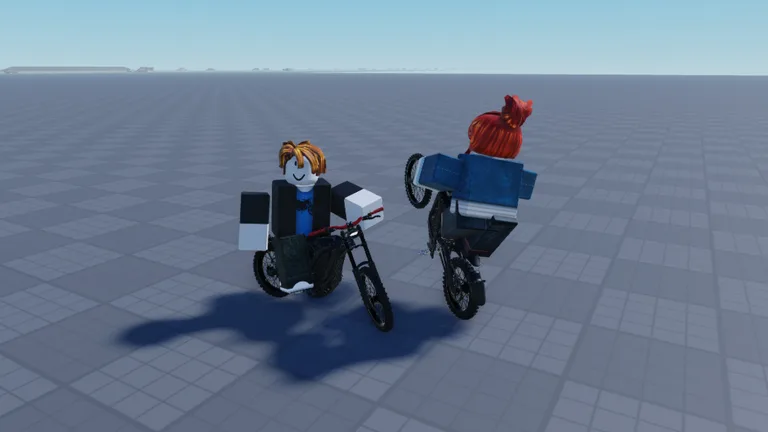
How Bike Universe AI Cops Works
Bike Universe AI Cops brings police encounters into your ride, and your in-game phone lets you turn police on or off. That setting matters when you want to switch between police encounters and focused trick practice. Learn the Bike Universe AI Cops phone setting alongside your bike controls so you can choose what to tackle each time you play.
On PC, press C to open your phone, then find the police option. You can enable police or ride without them. The phone also includes speed and appearance settings, messaging, and photo features, so take a moment to find the police control before heading back out.
Stealing a car is one way to get police on you. If you want to explore that side of the game, turn police on before trying it. If you want to work on wheelie balance or repeat a ramp attempt, switch police off while you practice.
| What you want to do | Control or action |
|---|---|
| Open the in-game phone | Press C |
| Enable police encounters | Turn police on through the phone |
| Practice without police | Turn police off through the phone |
| Get police on you | Steal a car |
Separate those activities while learning. Practice your riding controls, then enable police when you want to deal with encounters. Trying to learn a trick while also paying attention to police gives you more to manage at once.
The police option gives you control over your session. Use it deliberately instead of leaving it untouched while you struggle through unfamiliar bike handling.
Learn the Controls Before Dealing With Police
The most useful starting controls are Q for your bike, C for your phone, and B for build mode. Learn where those keys are before adding tricks, ramps, and police encounters to the same ride.
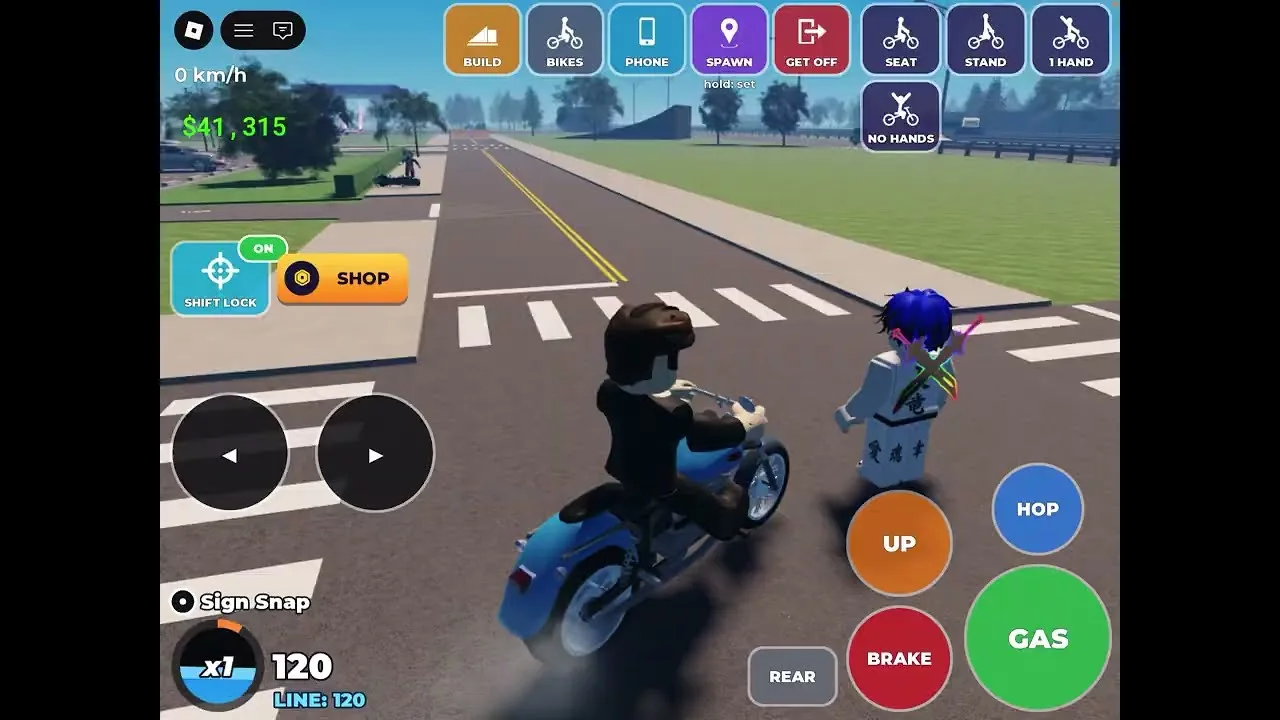
Press Q to spawn your bike or get it back quickly. That makes it useful after a failed stunt, when you need to return to riding and try again. Practice using it during a quiet session so recovering your bike becomes familiar.
Build mode changes the role of some keys. While placing a build, Q and E rotate it. Remember that context: the same Q key used to bring back your bike also helps position objects while building.
| PC input | Function | Context |
|---|---|---|
| Q | Spawn or quickly retrieve your bike | Riding and bike recovery |
| C | Open the phone | Police setting, messages, photos, and other phone features |
| B | Open build mode | Placing ramps and other build objects |
| Q / E | Rotate a build object | While positioning an object |
| Number keys, including 1, 3, and 4 | Perform tricks | While riding |
The number keys are used for tricks, but start by learning one trick at a time. Keep your attention on both the input and the bike’s position. Looking down at your keyboard during a jump makes it harder to follow the landing.
For Bike Universe AI Cops sessions, run through this short preparation sequence:
- Press Q to bring out your bike.
- Ride long enough to get comfortable with its handling.
- Open the phone with C and choose your police setting.
- Close the phone and return your attention to riding.
If you want to build a ramp, finish placing and rotating it before beginning your approach. Give yourself time to line up instead of switching between construction and riding at the last moment.
Keep the phone’s other features for a pause in the action. Photos and messages are fun extras, but learning the police control is the useful part of the phone for this guide.
Practice Wheelies and Ramps With Police Off
Tricks earn in-game cash, so practicing them supports your bike shopping as well as your riding skills. Start with a manageable move and work toward more complicated jumps.
Wheelie balance matters. Leaning too far backward can make the bike scrape or cause you to fall. Ease into the balance point instead of pulling back as far as possible.
Turn Bike Universe AI Cops off while working on that balance. Give yourself room to watch how the bike responds, then repeat the attempt with a smaller adjustment if you scrape or crash.
Build a Repeatable Ramp Attempt
Press B to enter build mode. Build options include a kicker and a launch ramp, and you can rotate objects with Q and E before placing them.
Use a simple setup while learning:
- Place a ramp with a clear approach.
- Rotate it to match the direction you want to ride.
- Build speed before reaching the ramp.
- Attempt one trick.
- Focus on getting back onto the bike for the landing.
Keep the setup consistent while you practice. If you change the ramp angle, approach, and trick together, it becomes harder to work out which adjustment helped.
Bike Universe includes tricks such as the tail whip and Superman, along with flips. Practice a single move before trying to put several into one jump. You need to get back onto your bike for the trick to work, so leave yourself time to finish the movement.
Match Your Attempt to Your Speed
A huge ramp is tempting, but the approach still needs enough speed. Start with a ramp you can reach comfortably, then move to a larger setup once you can follow the jump and landing.
After a crash, press Q to get your bike back and reset your attempt. Change one part of the next run: your approach, your trick timing, or the size of the jump.
Some build options, including the quarter pipe and mega ramp, involve game passes. Practice with the options you already have before spending Robux on more construction choices. A larger ramp still requires you to manage the bike in the air.
Once your chosen trick feels manageable, turn police back on if you want to add encounters to the ride.
Compare Bikes and Earn Cash Through Tricks
Bike Universe AI Cops is only part of a game built around riding, tricks, and buying bikes. The wider bike selection includes electric bikes, dirt bikes, and pedal bikes, with different attributes to compare.
Press M to view the bike selection, and use the bike dealer to shop for bikes. Read the attributes before choosing your next purchase.
The Ninja H2R illustrates why that comparison matters:
| Ninja H2R attribute | Displayed value |
|---|---|
| Top speed | 10 |
| Acceleration | 9.8 |
| Handling | 9.6 |
| Tricks | 2.5 |
Those numbers describe different parts of the bike. Keep the tricks attribute in view if you spend your sessions attempting tail whips and ramp combinations. Likewise, examine speed, acceleration, and handling when comparing bikes for riding around the map.
The Surron is another bike to look at for tricks. Compare its in-game attributes with your current bike before making a purchase, especially if trick practice is where you spend your time.
Avoid choosing entirely by appearance. The Ninja H2R has a striking look, but its displayed tricks value is much lower than its other attributes. Read the whole set of numbers and choose around the activity you want to practice.
Keep Cash Practice Focused
Doing tricks earns cash. Use that mechanic to give each practice session a purpose: work on a move, recover after failed attempts, and repeat.
Start with a trick you can follow through the landing. Add complexity after you can manage the simpler attempt. You can then compare bikes with a clearer idea of what you want from the next one.
For spending, these game passes were priced as follows on October 19, 2026:
| Game pass | Price |
|---|---|
| More Builds | 99 Robux |
| 2X Cash | 199 Robux |
| VIP | 249 Robux |
| Stryk Vorg | 399 Robux |
| Luxury Pack | 599 Robux |
The Stryk Vorg pass grants the stark varg in-game. Keep that separate from bikes you are browsing at the dealer when deciding what to buy.
Check the current purchase screen before spending Robux. Bike Universe is in beta, so use the live in-game options when making your final choice.
Plan Your Ride Around the October Beta
Bike Universe AI Cops was part of the October 17–18, 2026 Community Rideout, alongside a new map and giveaways. The experience also contains Bike Universe - Sunset City.
As of October 20, the game remains in beta, with substantial updates and changes expected. Keep your practice focused on the controls and bike behavior you encounter when you log in.
The standard maximum server size was 20 players on October 19. Rideout events advertise 100-player servers, so keep those event sessions separate from the regular server limit.
Two upcoming events give you dates to keep in mind:
- Halloween Event, October 21–November 7, 2026: new bikes and features, event features, limited-time items, and limited-time bikes.
- WEEKLY GLOBAL RIDEOUT!, October 24–25, 2026: 100-player servers, cash giveaways, and new content.
Before joining a busy rideout, practice opening the phone, choosing your police setting, and retrieving your bike. Familiar controls leave you better prepared to enjoy the riding itself.
Launch the game through the official Bike Universe Roblox page, choose whether you want police enabled, and give your session a clear goal: riding, trick practice, or police encounters.
FAQ
How do you turn Bike Universe AI Cops on or off?
On PC, press C to open the in-game phone. Find the police option and turn police on or off. Use the setting to choose between riding with police encounters and practicing without them.
How do you get police to chase you?
Stealing a car is one way to get police on you. Enable police through the phone before trying that activity, and familiarize yourself with the riding controls beforehand.
How do you get your bike back after crashing?
Press Q to spawn or quickly retrieve your bike. While positioning an object in build mode, Q instead works with E to rotate the object.
How do you earn cash while practicing?
Perform tricks to earn cash. Practice wheelies without leaning too far backward, then work on individual ramp tricks such as the tail whip or Superman. Focus on returning to the bike and completing the landing.
Continue with
 Bike Universe Beginner Guide: Controls, Cash & TricksUse this Bike Universe beginner guide to learn PC controls, practice wheelies, earn cash through tricks, compare bikes, and prepare for police chases.
More in Guide
Bike Universe Build Mode: Ramps, Controls, and Tips
Learn Bike Universe build mode controls, rotate ramps with Q and E, explore ramp options, and practice cleaner tricks with a simple setup. Start building.
Bike Universe How to Earn Cash: Tricks and Bike Tips
Bike Universe how to earn cash explained: practice wheelies, build ramps, compare bike stats, and learn about the 2X Cash pass before your bike purchase.
Continue exploring
Join the community
Official channels for news, updates and player help: